Email and password
One set of credentials opens the pokies, live casino and sportsbook in your AUD account.
Sign in to BangaWin from desktop or phone
Use your email and password in any browser, or open the PWA from your home screen. Support is on live chat 24/7.
Signing in at a glance
Email and password
One set of credentials opens the pokies, live casino and sportsbook in your AUD account.
Verification built in
Email verification and password protection secure each account, with extra identity checks where required.
Phone access
Sign in from Android and iOS browsers, or from the PWA icon on your home screen.
Keep your account secure
What you should do
What you should avoid
You sign in with the email address and password you set at registration, on a desktop browser, a mobile browser or the PWA shortcut on your phone.
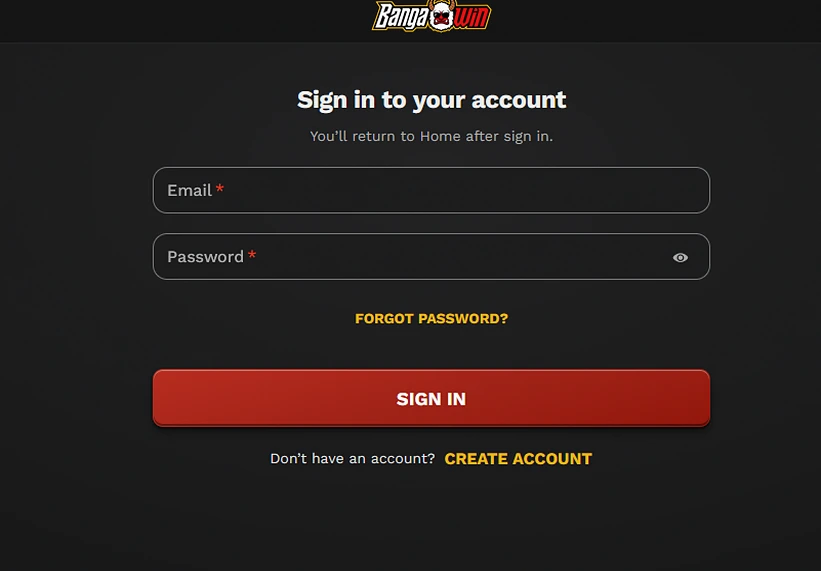
Open BangaWin in your computer browser, enter your email address and password on the login form, and confirm. You land back on the home page, with the lobby and your AUD balance in view.
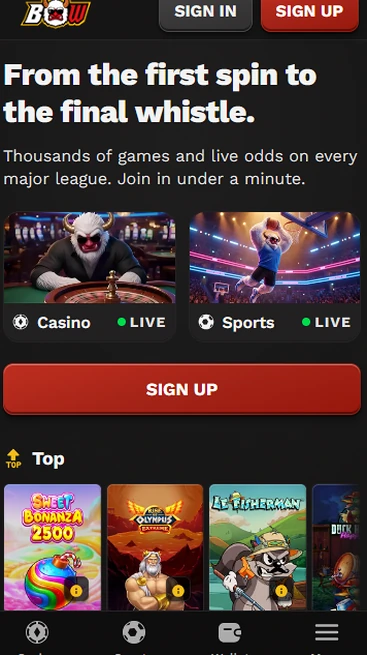
Open BangaWin in an Android or iOS browser, use the same email and password, and the mobile layout loads with the full catalogue and sportsbook.
If you added BangaWin to your home screen, tap its icon and sign in the same way. The PWA opens the same account, so nothing needs to be set up twice.
Access runs on one method, email and password, with email verification and extra identity checks added where required. The table shows how each device connects.
| Device | Access route | Credentials |
|---|---|---|
| Desktop | Web browser | Email and password |
| Android | Browser or PWA | Email and password |
| iOS | Browser or PWA | Email and password |
Your account is protected by email verification, password protection and additional identity checks where required. We ask for documents so withdrawals go to the right person, and only when a withdrawal or a compliance check calls for it.
Identity can be confirmed with an Australian driver’s licence or passport. Address can be confirmed with a recent utility bill, a bank statement or official government correspondence. Payment ownership can be confirmed with a bank statement, a card statement or an e-wallet confirmation, and we may also ask for payslips or bank statements as supporting documents. Review usually takes 24 to 72 hours.
Account tools help too. Deposit limits, loss limits, session reminders, cooling-off periods and self-exclusion are all available, and BangaWin is for players aged 18 or over.
Most sign-in failures come from a mistyped password, an unconfirmed email address or an old browser session, and support resolves the rest around the clock.
| Problem | What to do |
|---|---|
| Forgotten password | Use the password recovery option on the login form, or ask live chat to help |
| Email address not confirmed | Check your inbox and spam folder for the verification message, then confirm it |
| Details are rejected repeatedly | Check for a stray space or capital letter, clear the page and try again |
| Documents requested after sign-in | Send the requested identity, address or payment ownership files through live chat |
| Still locked out | Contact live chat or [email protected], staffed 24/7 in AEST and AEDT hours |
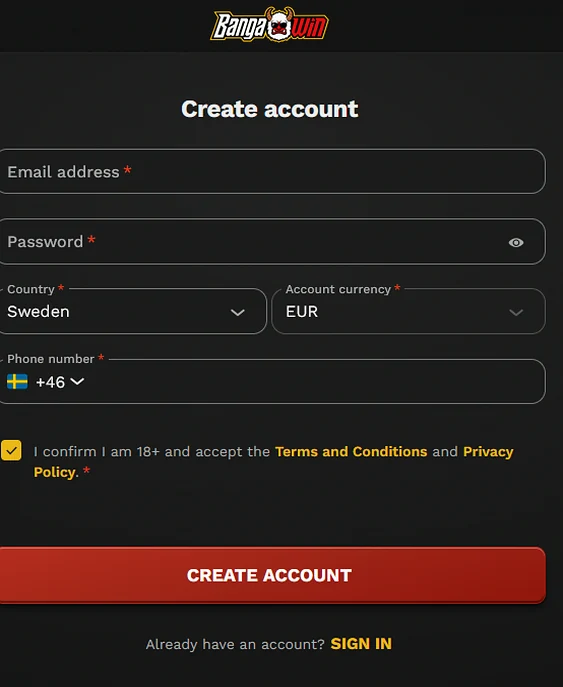
You can create an account on the website with an email address, a password, your country, the account currency and a phone number, and you confirm you are 18+ and accept the Terms and Conditions and Privacy Policy. New accounts can pick an eligible offer, and the full bonus terms explain how each one works.
Sign-in questions
Use the password recovery option on the login form, or ask live chat for help, which is staffed 24/7 across AEST and AEDT.
Yes, you can sign in from an Android or iOS browser, or from the BangaWin PWA icon if you added it to your home screen.
Identity, address and payment ownership checks may be required before a withdrawal and usually take 24 to 72 hours. An Australian driver's licence or passport plus a utility bill or bank statement is accepted.
Sign in to your BangaWin account
Claim 125% up to $1,250 plus 300 free spins on your first deposit. 18+, terms apply.
Open an account Players must be 18+. Gambling can become addictive, and bonus terms apply to every offer.